> For the complete documentation index, see [llms.txt](https://docs.optis.me/llms.txt). Markdown versions of documentation pages are available by appending `.md` to page URLs; this page is available as [Markdown](https://docs.optis.me/swatch/variant-images/common-questions/how-can-i-set-common-images-for-all-variants.md).
# How can I set common images for all variants?
You can set **Common Images** in the Shopify product to apply the same images across all variants.
{% stepper %}
{% step %}
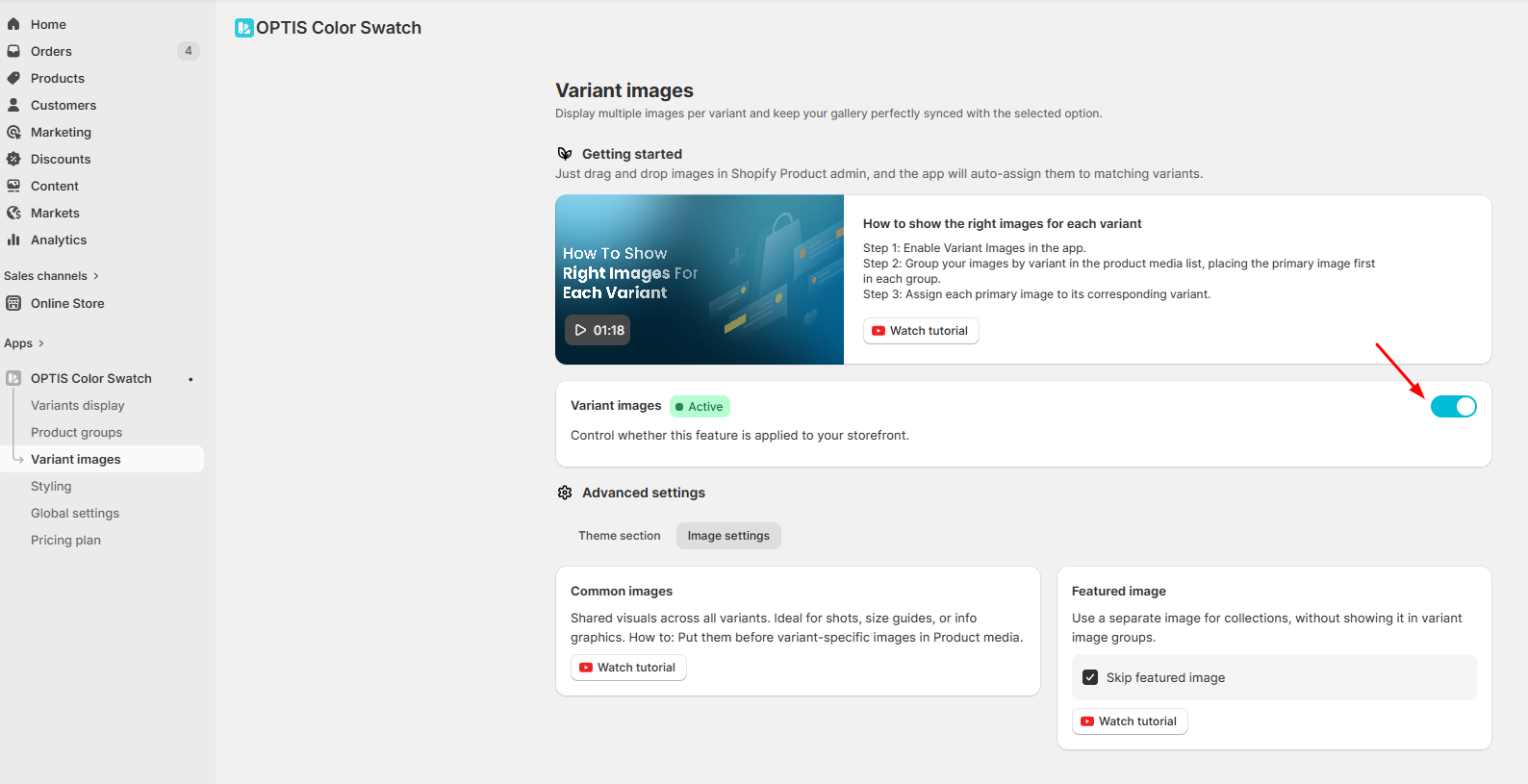
**Enable the Variant Images toggle** in the app
{% endstep %}
{% step %}
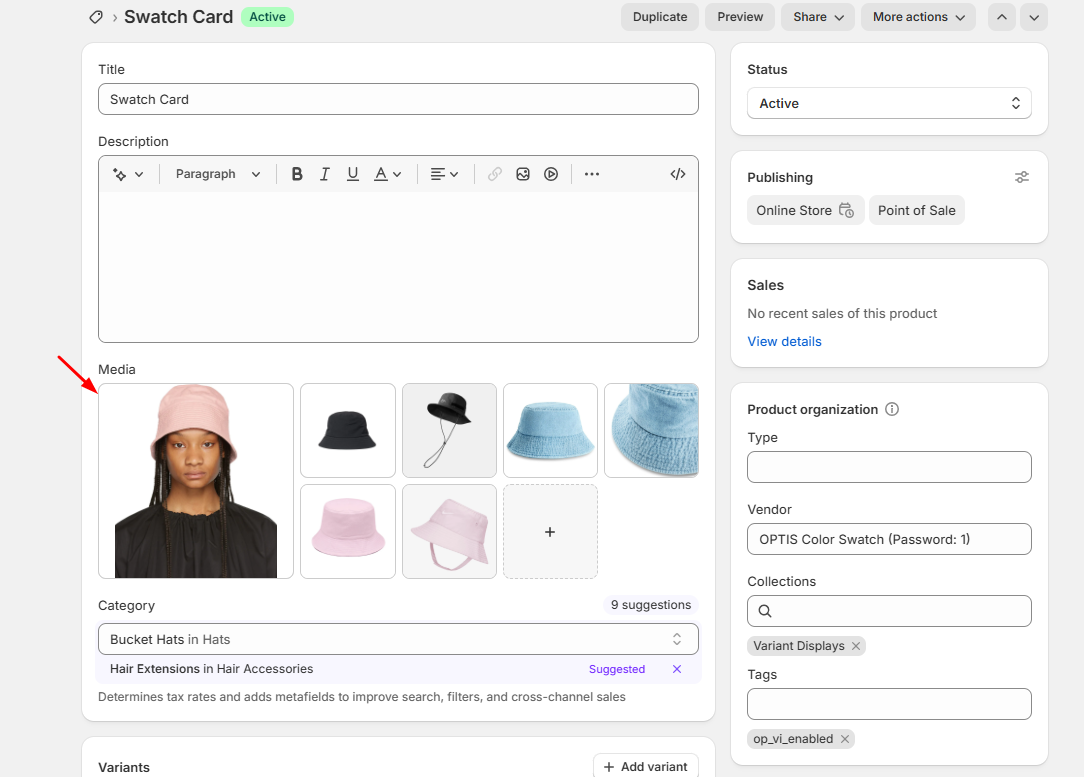
Go to **Shopify Admin → Products → Select a product**
In the **Media** section:
* Upload the images you want to use as **Common Images**
* Move these images to the **top of the product image gallery**, before any variant-specific images
{% endstep %}
{% step %}
**Save the product**
{% endstep %}
{% endstepper %}
The images placed at the top of the gallery will be treated as **Common Images** and applied to all variants. This is useful for shared visuals like lifestyle images, size guides, or banners that apply to every variant.
💬 If the images don’t display as expected on your theme, feel free to contact our support team - we’re happy to help.