> For the complete documentation index, see [llms.txt](https://docs.optis.me/llms.txt). Markdown versions of documentation pages are available by appending `.md` to page URLs; this page is available as [Markdown](https://docs.optis.me/swatch/variant-display/swatch-card.md).
# Swatch card
{% hint style="success" %}
**Available on:** Product page only
{% endhint %}
✨Demo product: [Swatch card](https://optis-color-swatch-variant.myshopify.com/products/bucket-hat-1?variant=45188750508169) (password: 1)
### **Function**
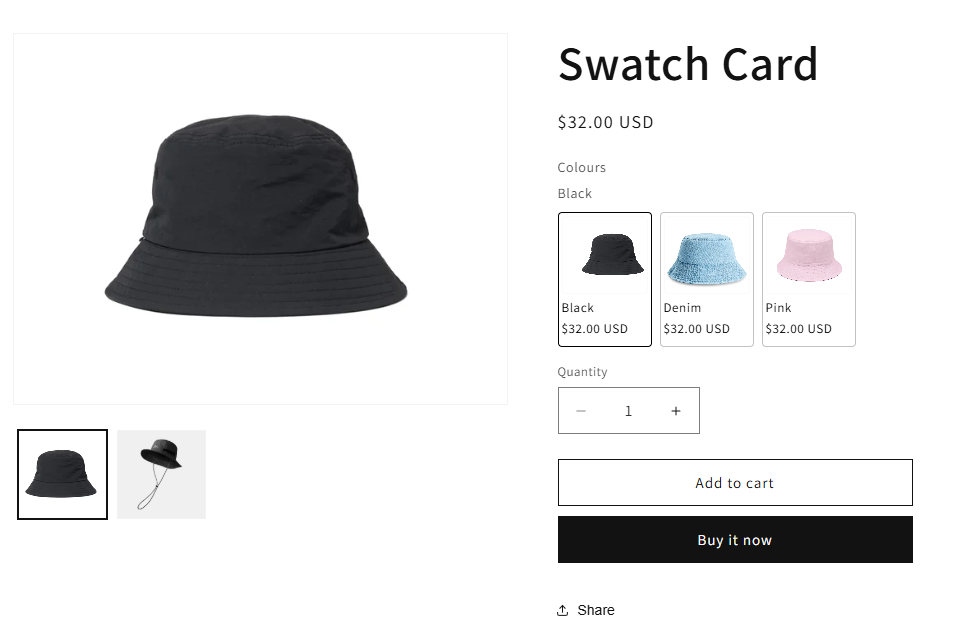
Displays each variant as a card showing **variant image, option value, and price (optional)** in a single layout.
### **How it works**
* Each option appears inside a **polaroid-style card**
* Customers can see key variant details at a glance before selecting
### **Use when**
* Variants differ in **appearance and price**
* You want customers to **compare options easily** without clicking back and forth
### **How to use Swatch Card**
{% stepper %}
{% step %}
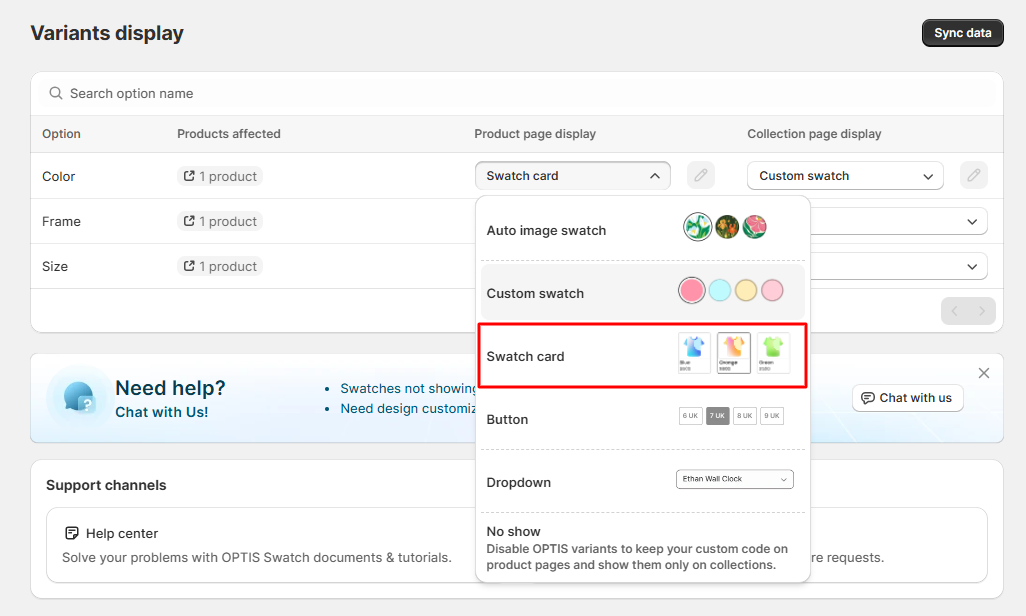
#### Change the display type to Swatch Card > Click Save
{% endstep %}
{% step %}
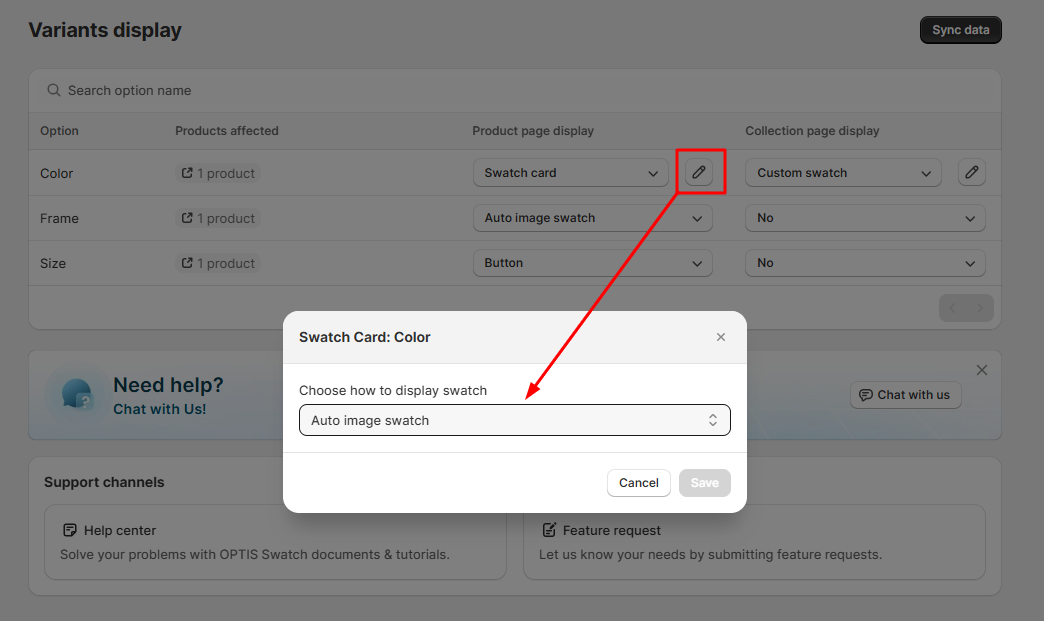
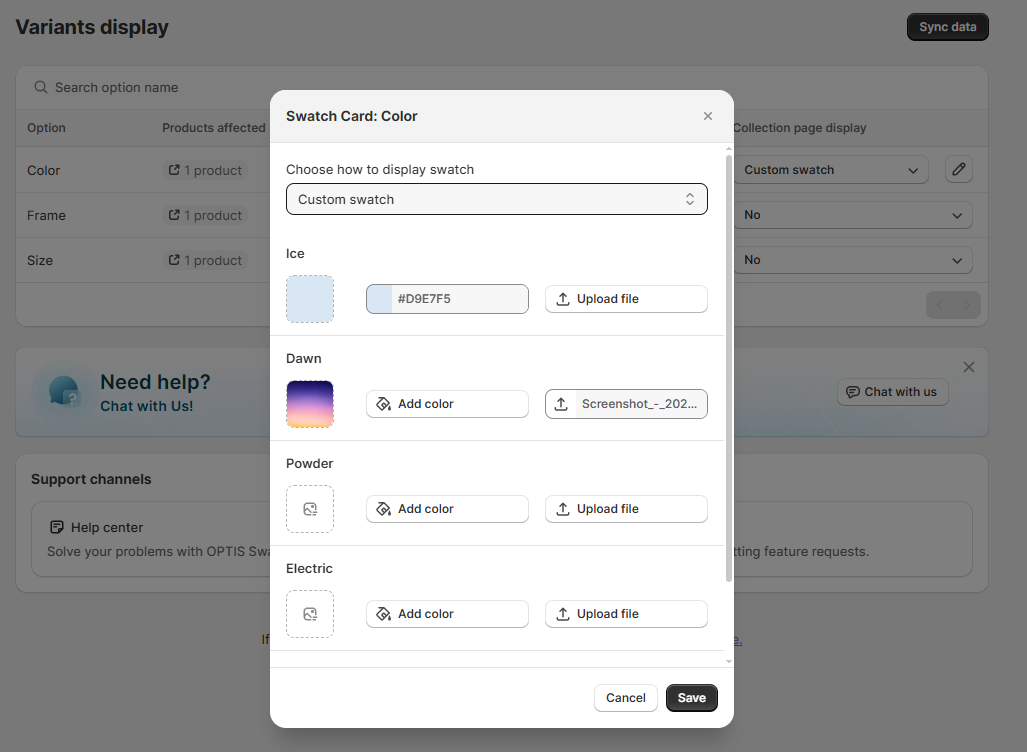
#### Choose the swatch source:
* [**Auto Image Swatch**](/swatch/variant-display/auto-image-swatch.md)\
→ Uses the variant images already set in your Shopify product
* [**Custom Swatch**](/swatch/variant-display/custom-swatch.md)\
→ Upload your own images or use solid colors (hex codes) for each variant
{% endstep %}
{% step %}
#### Click Save to apply changes
{% endstep %}
{% endstepper %}
### **How it looks on your store**
* Product page: