> For the complete documentation index, see [llms.txt](https://docs.optis.me/llms.txt). Markdown versions of documentation pages are available by appending `.md` to page URLs; this page is available as [Markdown](https://docs.optis.me/swatch/variant-display/pill-swatch.md).
# Pill swatch
{% hint style="success" %}
**Available on:** Product page only
{% endhint %}
✨Demo product: [Pill swatch](https://optis-color-swatch-variant.myshopify.com/products/pill-swatch?variant=45492608925833) (password: 1)
### **Function**
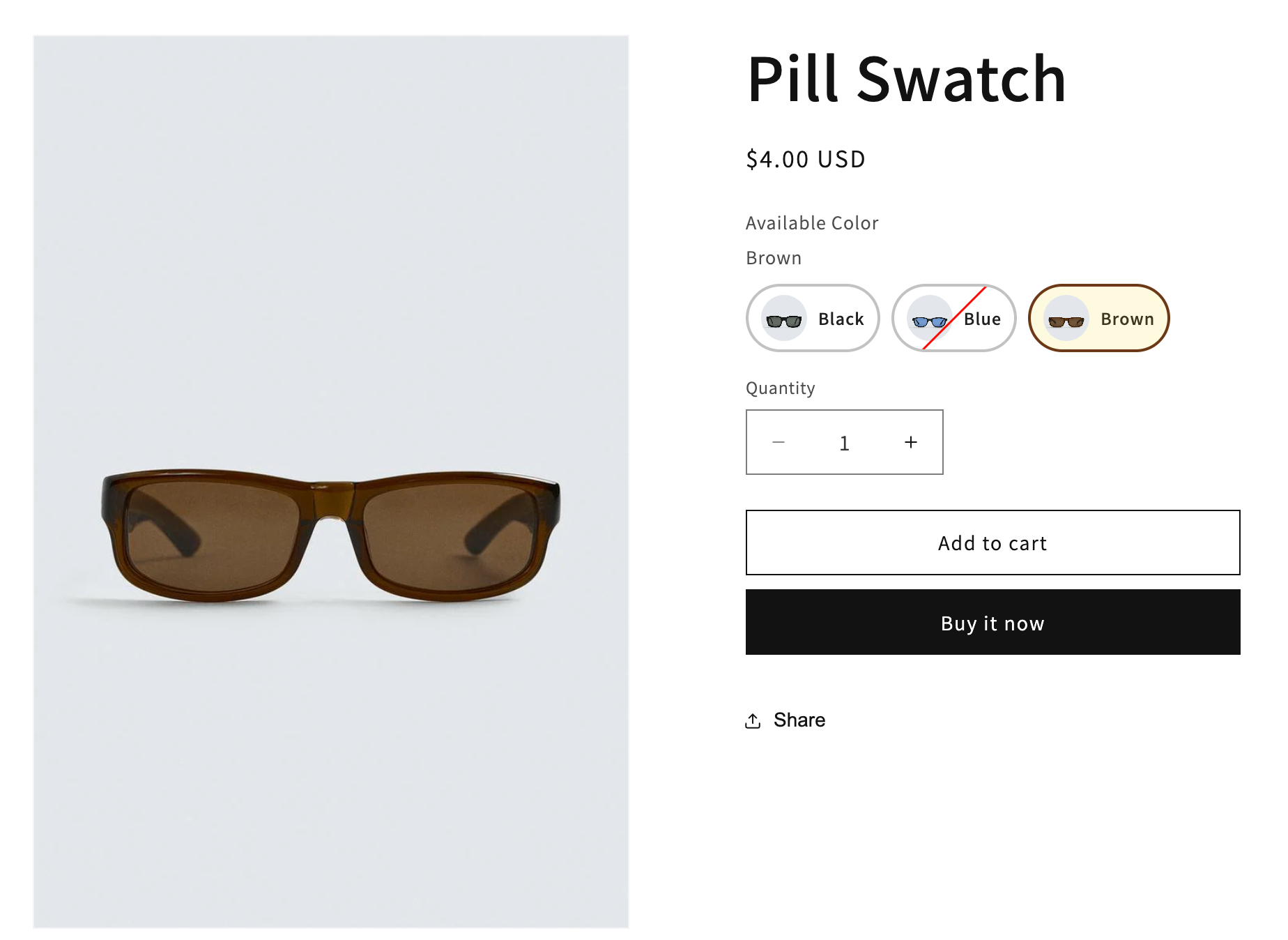
Displays each variant as a rounded pill with a small preview (image or color), option value and price (optional) in a single horizontal layout.
### **How it works**
* Each variant appears as a **rounded pill button**
* A **small thumbnail (image or color swatch)** is shown on the left
* The **option value (e.g., Black, Blue, Brown)** is displayed next to it
### **Use when**
* You want a **clean but still slightly visual** variant selector
* Variants have **simple differences** but still benefit from a small preview
### **How to use Pill swatch**
{% stepper %}
{% step %}
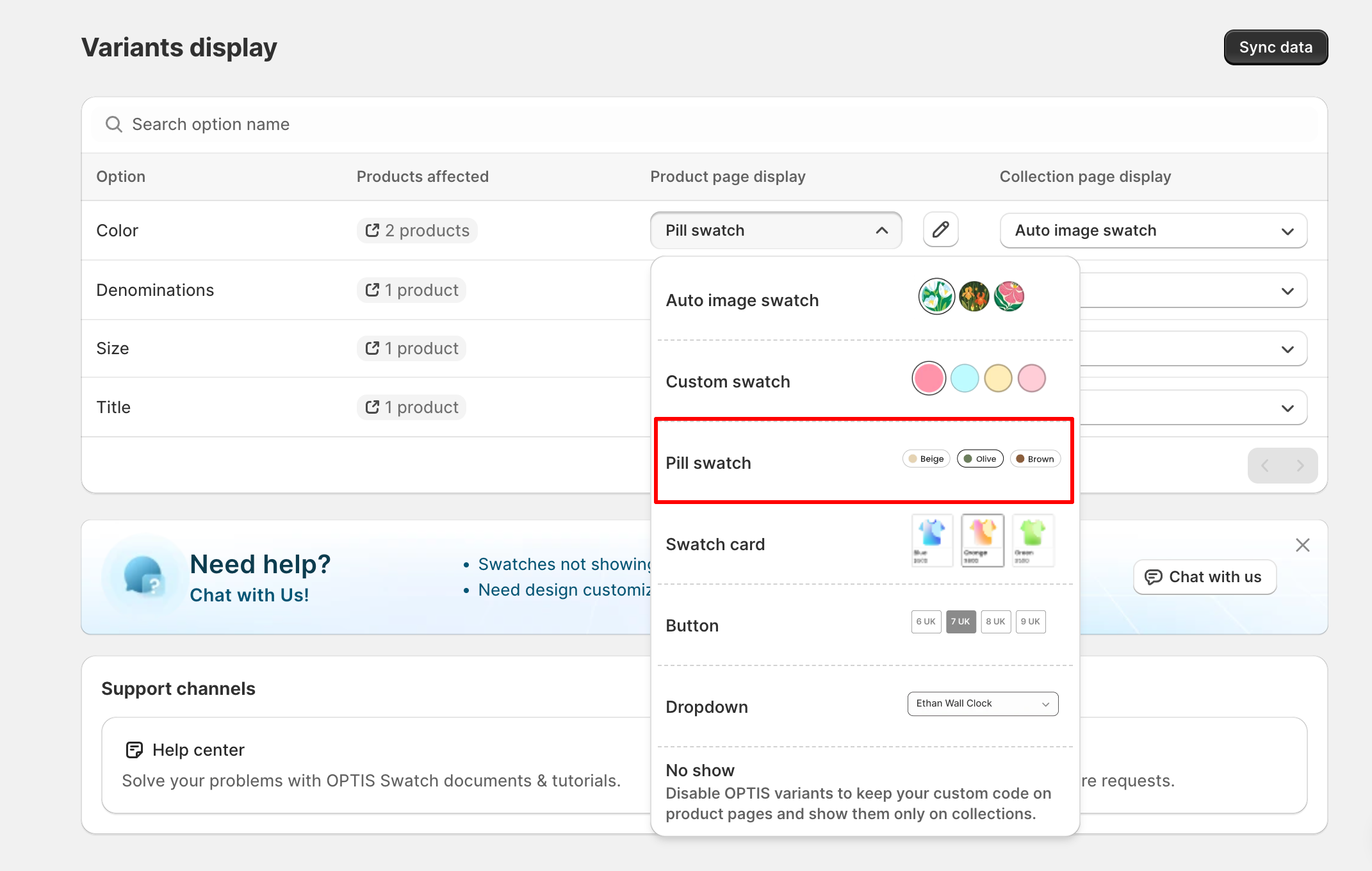
#### **Change the display type to Pill swatch > Click Save**
{% endstep %}
{% step %}
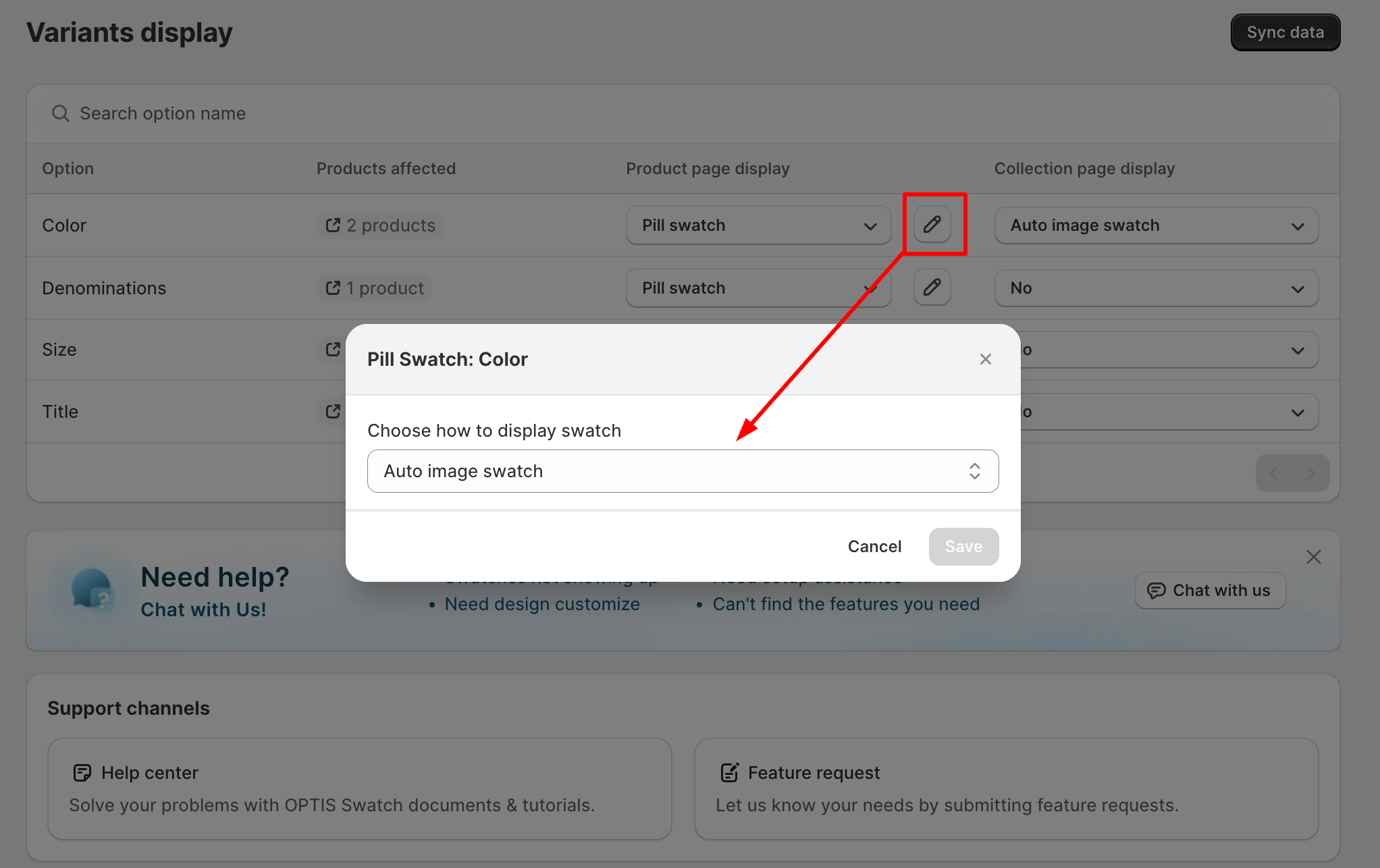
#### Choose the swatch source:
* [**Auto Image Swatch**](/swatch/variant-display/auto-image-swatch.md)\
→ Uses the variant images already set in your Shopify product
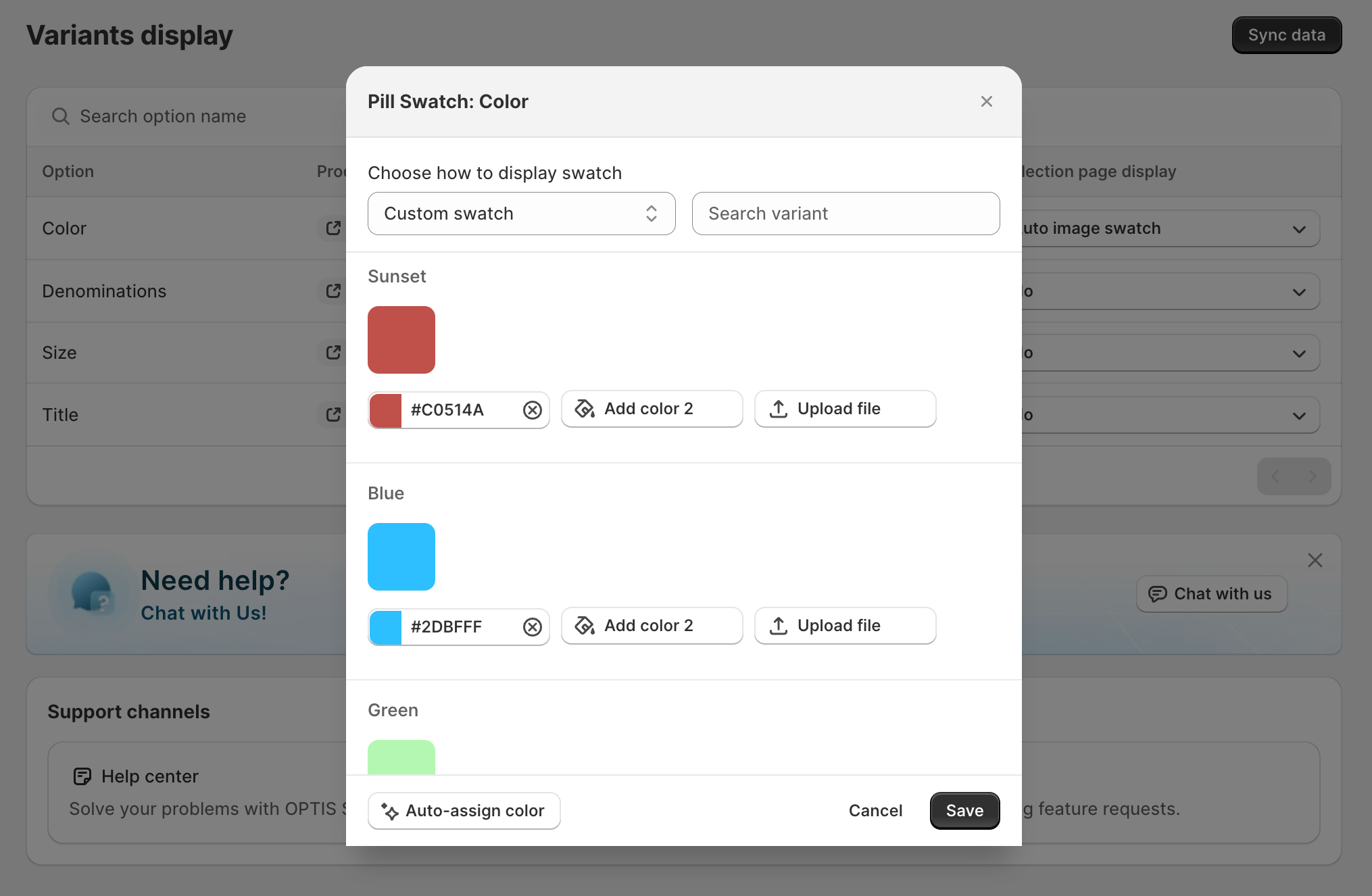
* [**Custom Swatch**](/swatch/variant-display/custom-swatch.md)\
→ Upload your own images or use solid colors (hex codes) for each variant
{% endstep %}
{% step %}
#### Click Save to apply changes
{% endstep %}
{% endstepper %}
### **How it looks on your store:**
* Product page: