For the complete documentation index, see llms.txt. This page is also available as Markdown.

Bulk create Product Groups

Instead of building Product Groups one by one, scan your catalog and create many groups at once from a shared pattern.

Group by

Mode
How it groups products

Product name pattern

Products whose titles share a common pattern are grouped together

Product tag

Products are grouped by tag, using one of three rules (see below)

Product metafield

Products sharing the same value in a metafield you pick (or type a namespace/key for) are grouped together

For Product tag, choose one rule:

  • One group per tag — every tag becomes its own group.

  • One group, any of the tags — a single group containing any product with at least one of the selected tags.

  • One group, all of the tags — a single group containing only products with every selected tag.

You can also add a Shopify search query to narrow down which products are scanned before grouping.

How it works

1

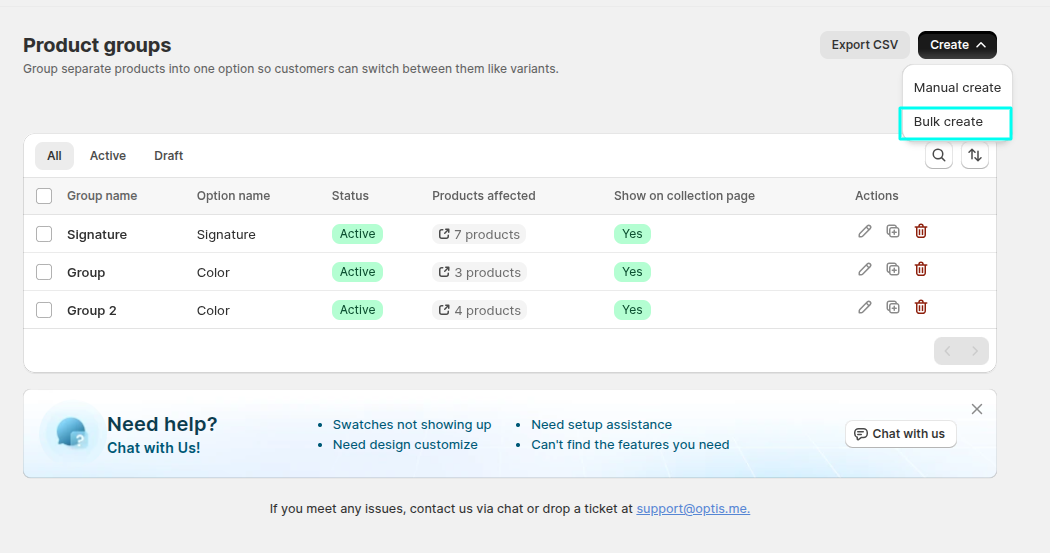
Go to Product groupsBulk create

2

Pick a Group by mode and set its options

Optionally narrow the scan with a search query.

3

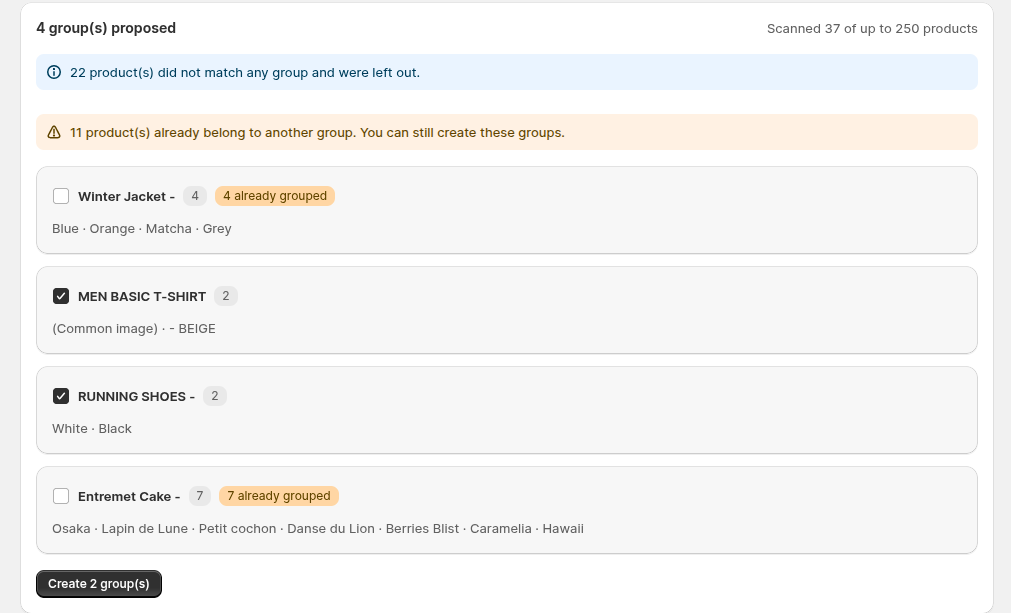
Review the preview

Each group the scan would create is listed. Groups whose name already matches an existing group are marked already exists and skipped automatically. Uncheck any group you don't want to create.

4

Click Create to save the checked groups

Limits

Limit
Value

Products scanned for the preview

Up to 250 products

Products in a single group

Up to 2,000

Groups created per bulk-create run

Up to 100

If your catalog is larger than these limits, narrow the scan with a search query and run bulk create again for the remaining products.

Last updated