> For the complete documentation index, see [llms.txt](https://docs.optis.me/llms.txt). Markdown versions of documentation pages are available by appending `.md` to page URLs; this page is available as [Markdown](https://docs.optis.me/swatch/frequently-asked-questions/why-arent-my-swatches-showing-up-on-the-store.md).
# Why aren’t my swatches showing up on the store?
**Why aren’t my swatches showing up on the store?**
There are three common reasons:
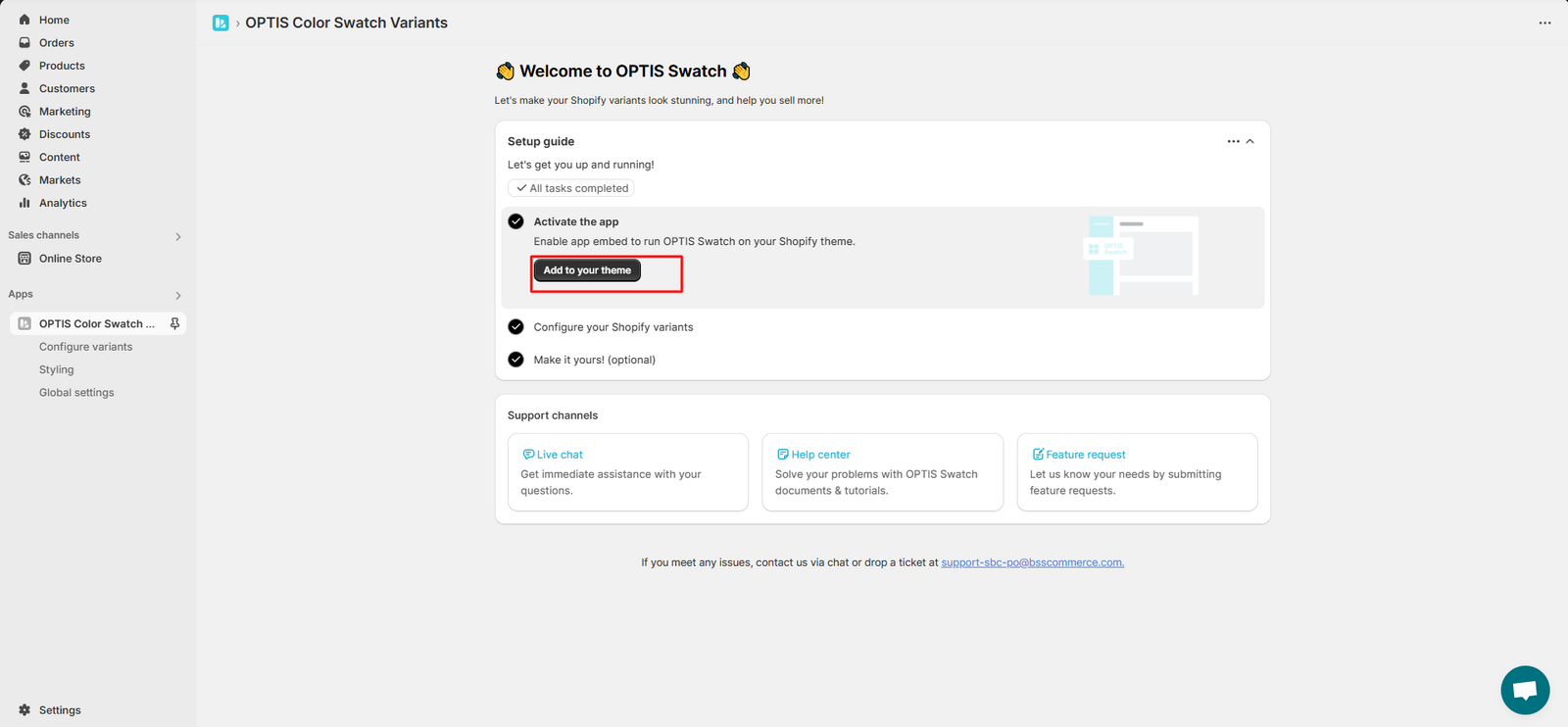
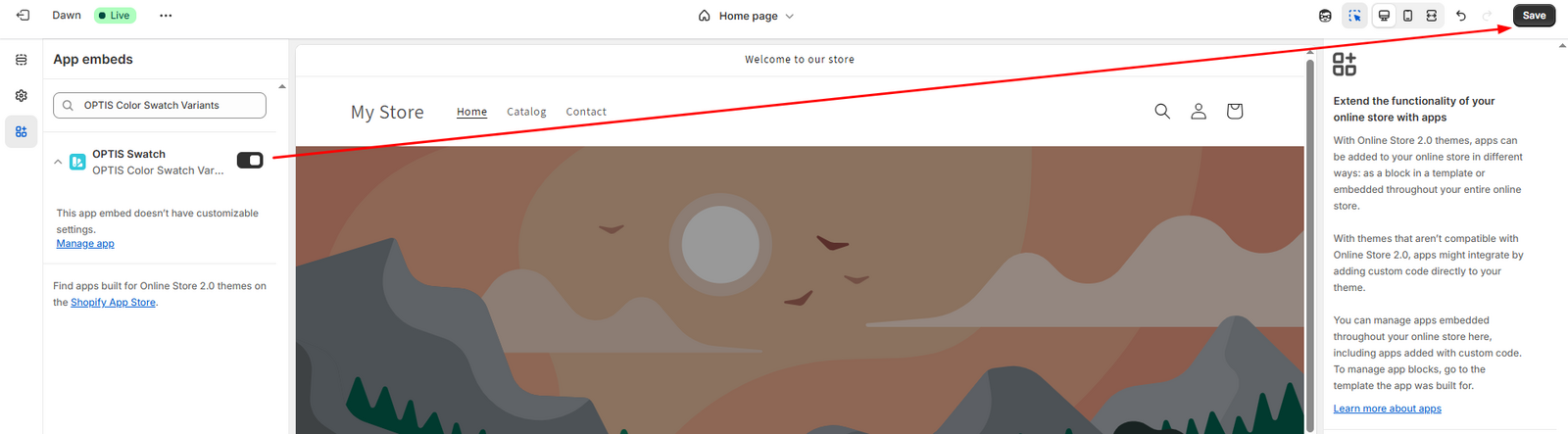
1. **The app isn’t enabled on your theme**
👉 To fix this:
* Click **“Add to your theme”** in the app
* You’ll be redirected to a new page. Click **Save** there
2. **Your browser is showing cached data**
👉 Try doing a hard refresh:
* **Ctrl + Shift + R** (Windows)
* **Cmd + Shift + R** (Mac)
3. **Theme compatibility issue**
👉 If the swatches still aren’t showing after trying the steps above, your theme might not be compatible. Please contact us - we’ll be happy to check and fix it for you!