> For the complete documentation index, see [llms.txt](https://docs.optis.me/llms.txt). Markdown versions of documentation pages are available by appending `.md` to page URLs; this page is available as [Markdown](https://docs.optis.me/swatch/frequently-asked-questions/is-it-possible-to-customize-how-swatches-look.md).
# Is it possible to customize how swatches look?
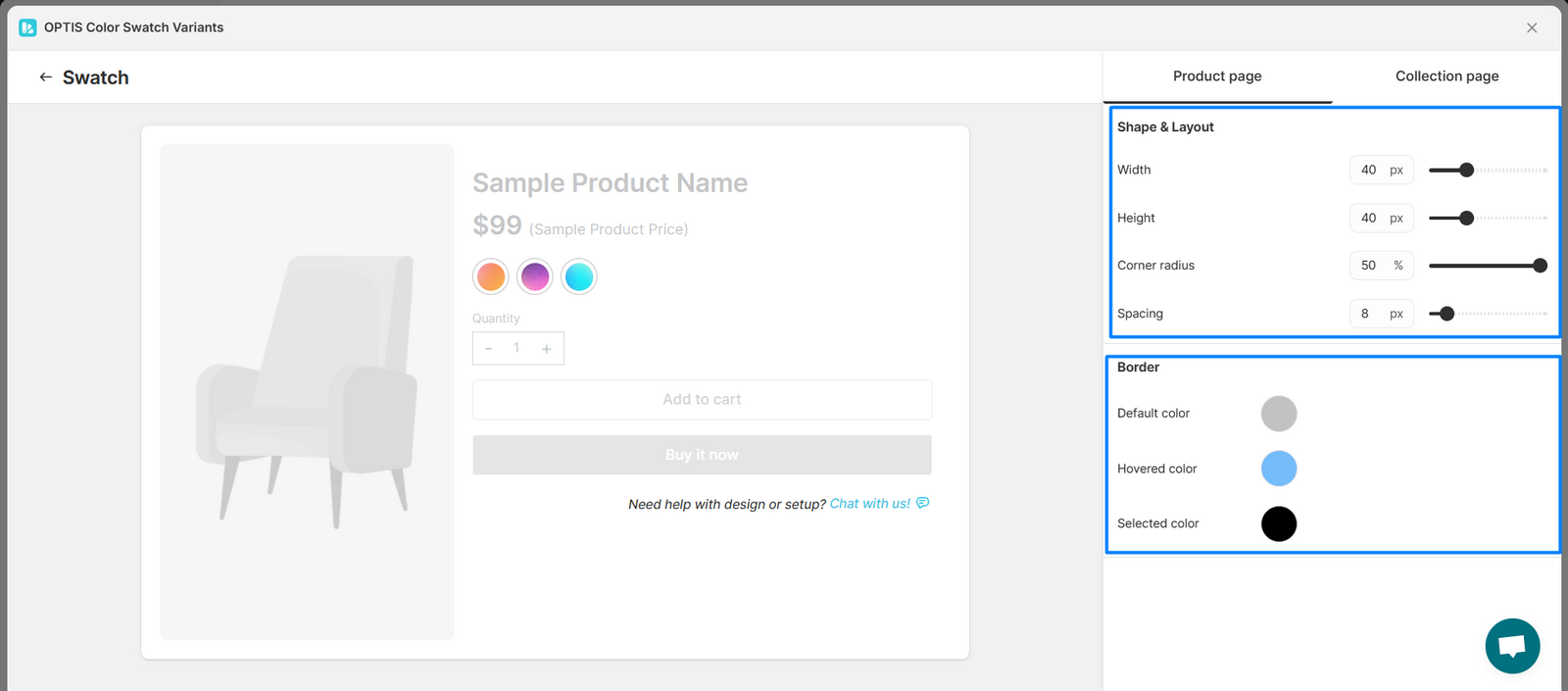
Yes! You can fully customize how your swatches appear, including color, size, shape, borders, and more, for both the product page and the collection page.
💡 Use this to match your option styles with your store’s branding and make them look consistent across pages.
#### ✅ To customize the display style:
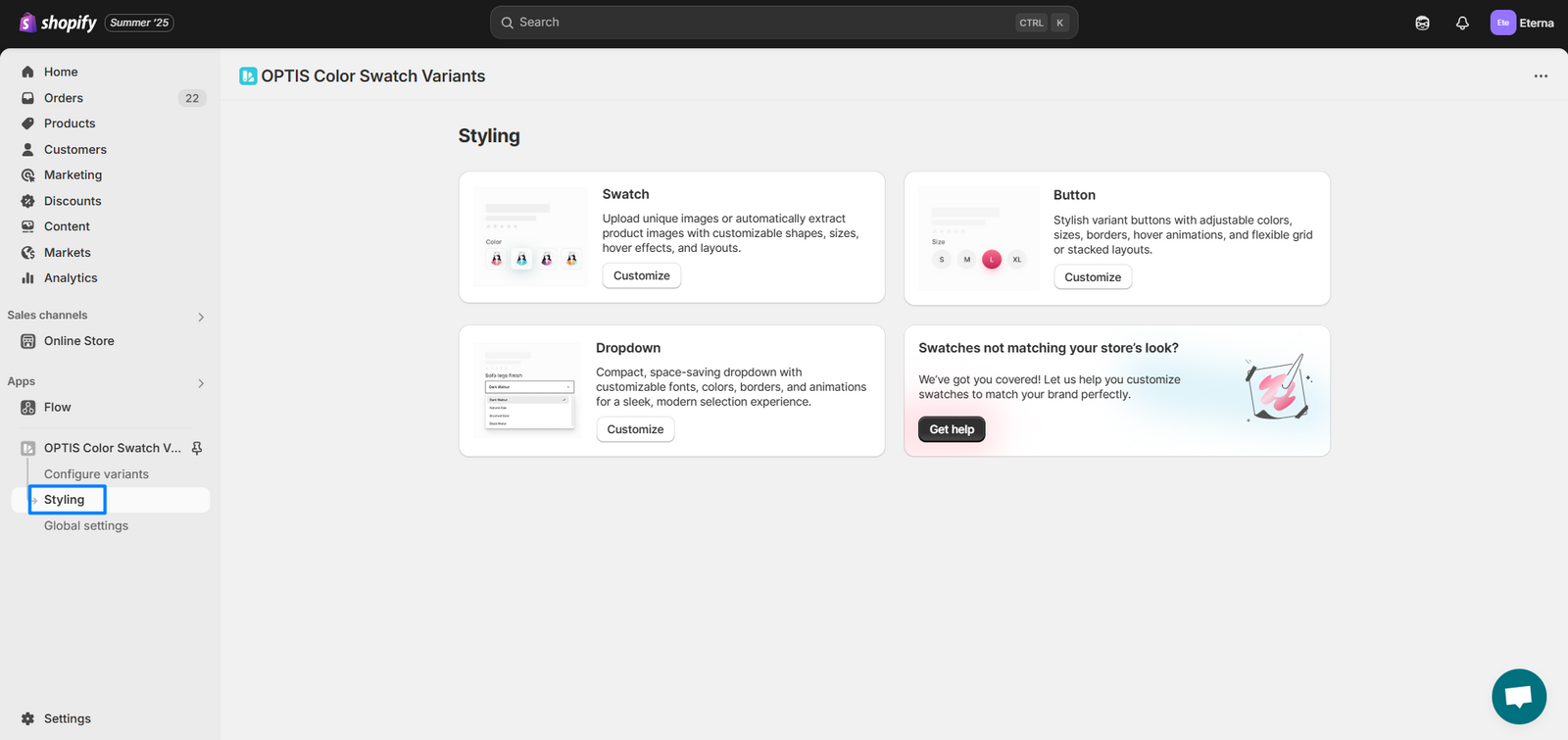
1. Go to the [**“Styling”** page](/swatch/styling/styling-overview.md) in OPTIS Color Swatch
2. Choose display style that you want to customize the appearance: Swatch / Button / Dropdown
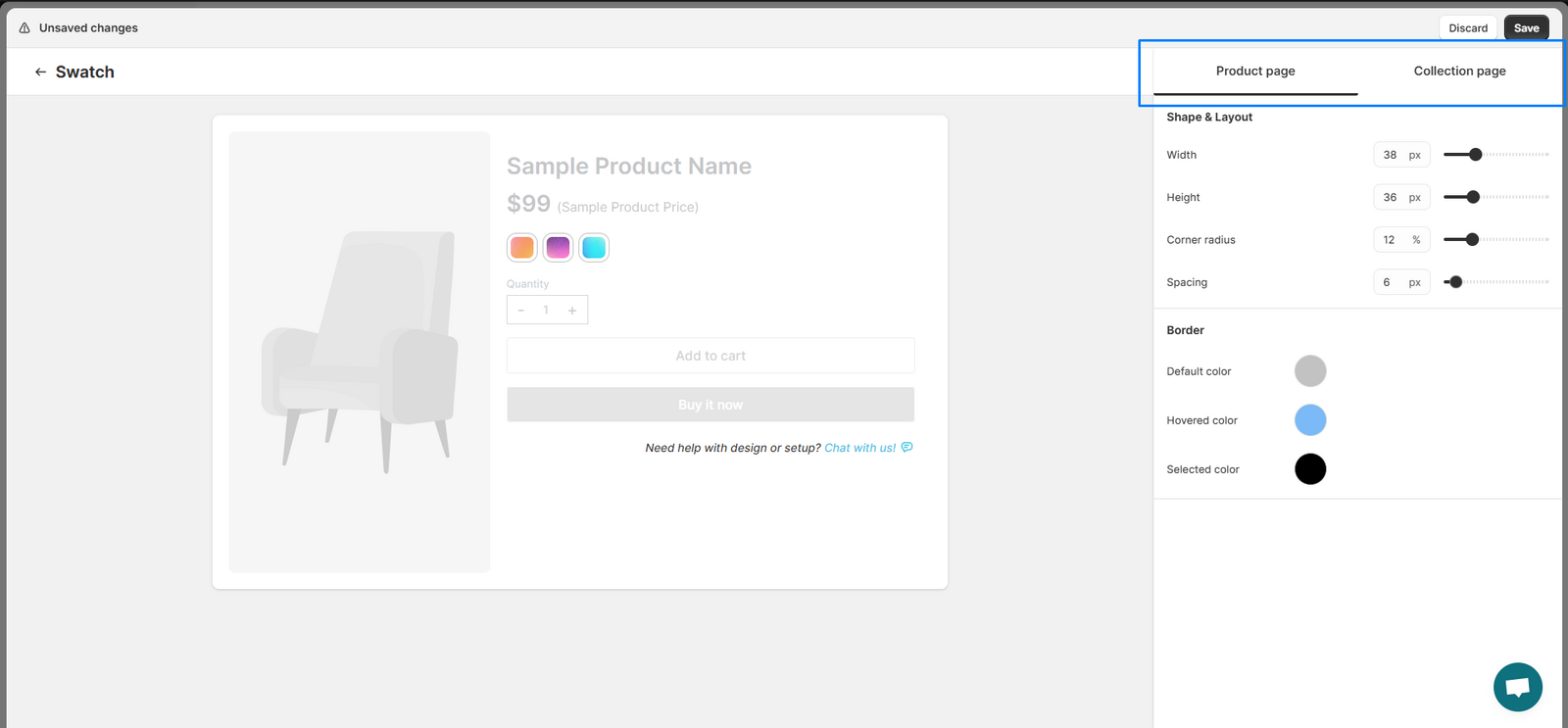
3. You’ll see two tabs:
* **Product Page** - to style how it appears on product detail pages
* **Collection Page** - to style how it appears on collection page
4. In each tab, you can adjust the settings to fit your needs
5. Click **Save** to apply your changes.
{% hint style="info" %}
For a full list of every styling setting, see [Styling settings reference](/swatch/styling/styling-settings-reference.md).
{% endhint %}