> For the complete documentation index, see [llms.txt](https://docs.optis.me/llms.txt). Markdown versions of documentation pages are available by appending `.md` to page URLs; this page is available as [Markdown](https://docs.optis.me/swatch/frequently-asked-questions/can-i-display-swatches-button-dropdown-on-the-collection-page.md).
# Can I display swatches/button/dropdown on the collection page?
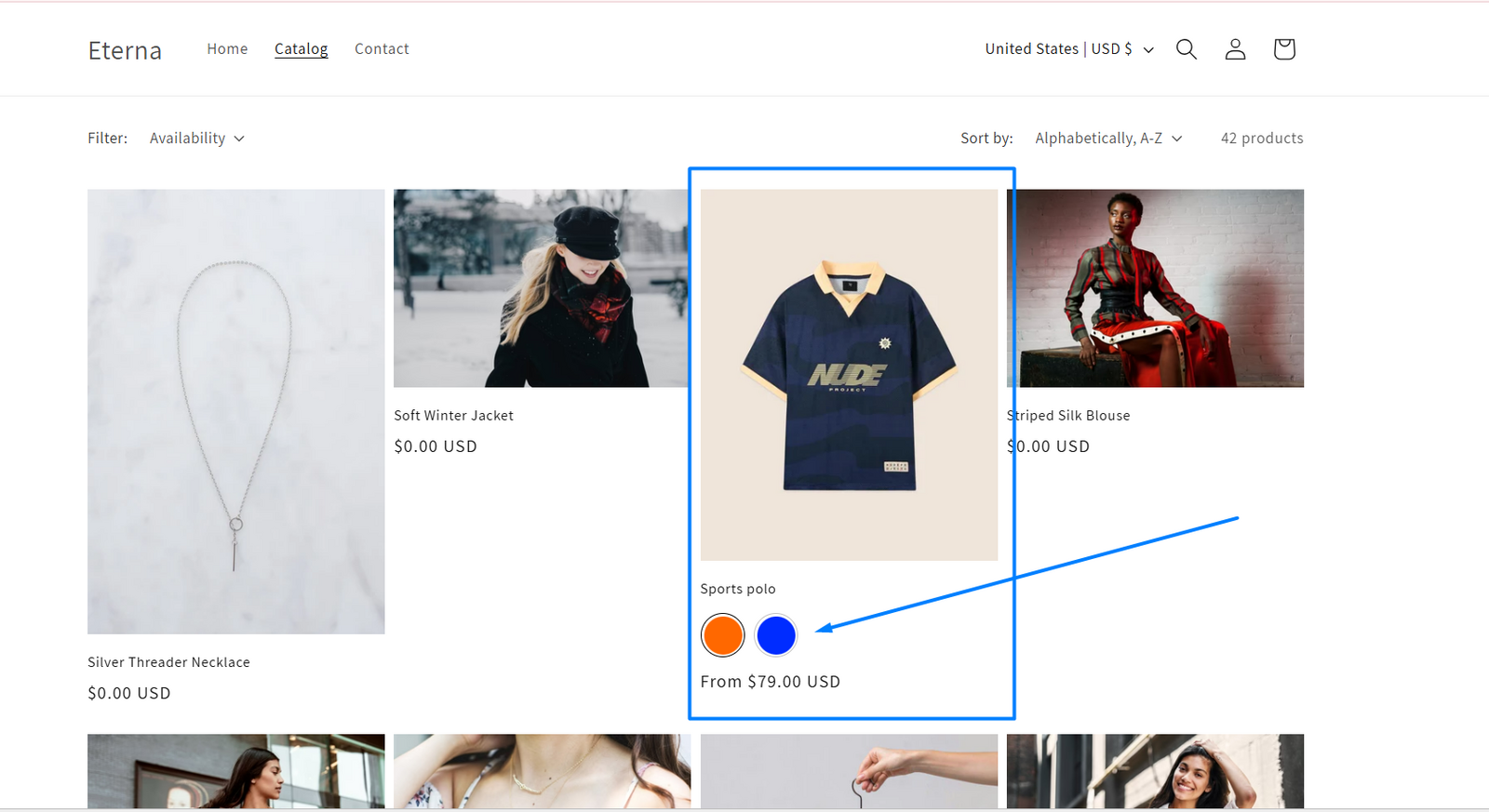
Yes, OPTIS Color Swatch allows you to display product variant options (like swatches, buttons, or dropdowns) directly on your **collection pages**, so customers can select a variant without opening the product page.
#### **✅ To enable swatches on the collection page:**
{% stepper %}
{% step %}
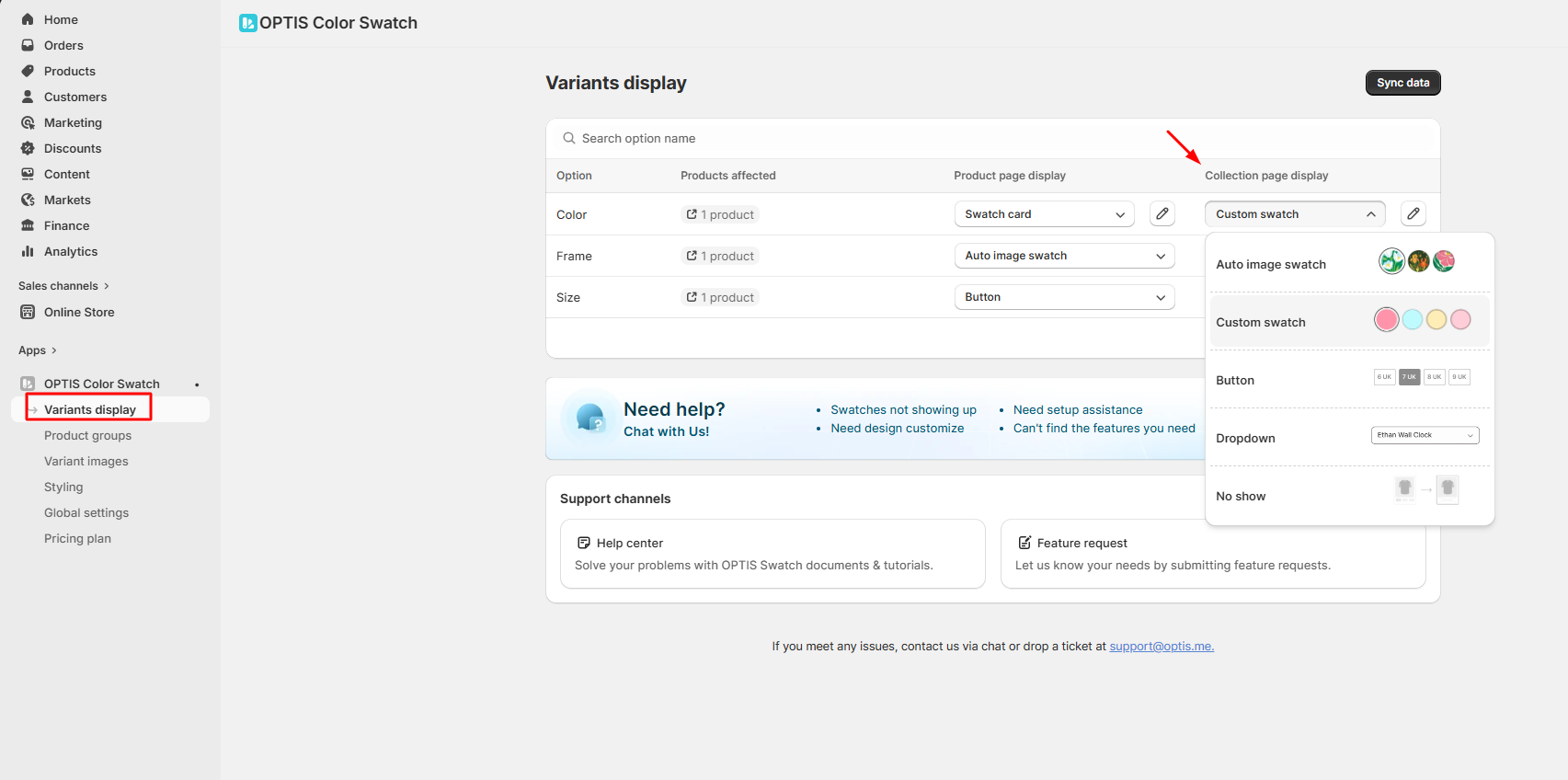
Go to the “**Variant display**” page in OPTIS Color Swatch
{% endstep %}
{% step %}
Find the row corresponding to the option you want to show (e.g., Color, Size)
{% endstep %}
{% step %}
In the “Collection page display” column, choose the **display type** you want to show on the collection page
{% endstep %}
{% step %}
Click **Save** to apply the changes
{% endstep %}
{% endstepper %}
> **Note:**
>
> * The feature might not work with custom or heavily customized themes out of the box.
> * If your theme isn’t supported yet, you can contact our support team, we’ll help with manual setup or theme integration.