> For the complete documentation index, see [llms.txt](https://docs.optis.me/llms.txt). Markdown versions of documentation pages are available by appending `.md` to page URLs; this page is available as [Markdown](https://docs.optis.me/swatch/changelog.md).
# Changelog
A quick look at what's new in **OPTIS Color Swatch** — newest updates first.
***
### 🧩 Sprint 3: Product Group sub-categories, automatic badges & more
**August 21, 2026**
* **Product Groups**: split a group into [sub-categories](/swatch/product-groups/product-group-sub-categories.md), [bulk create](/swatch/product-groups/bulk-create-product-groups.md) many groups at once from a name pattern, tag, or metafield, and [export](/swatch/product-groups/export-product-groups-to-csv.md) all your groups to CSV. The Product Groups search box now also matches by product name.
* Global settings: added [Automatic badges](/swatch/global-settings/automatic-badges.md) — **Low stock**, **New**, and **On sale**, alongside the existing Auto sold-out badge.
* Global settings: added [Collection page click behaviour](/swatch/global-settings/collection-click-behaviour.md) — choose whether clicking a swatch on a collection page changes the image or opens the product.
* Global settings: [Tooltip](/swatch/global-settings/tooltip.md) can now **display a large image** for image swatches on the product page, not just a text label.
* Variant Images: added [Variant images on collection pages](/swatch/variant-images/variant-images-on-collection-pages.md) — the variant-aware gallery now works on collection cards too.
* Configure Variants: added [Option and value descriptions](/swatch/variant-display/option-and-value-descriptions.md) — pull descriptions from product/variant metafields and show them below, beside, in a tooltip, or in a popup.
* Styling: added separate **Desktop** and **Mobile** tabs so layout and hide-extra settings can differ per device.
* Global settings page reorganized into grouped sections (Swatch state, Variant selection behaviour, Automatic badges, Position and images, Advanced) for easier navigation.
### 🚦 Sprint 2: Variant pre-selection & hide single variant
**July 28, 2026**
* Added [No preselect](/swatch/global-settings/no-preselect.md) in Global settings — require shoppers to actively choose an option before Add to Cart is enabled, instead of the first variant being auto-selected. Includes a customizable gate message (supports the `{{option_name}}` token) and dropdown placeholder text.
* Added [Hide single variant](/swatch/global-settings/hide-single-variant.md) — hide an option's selector (per Product page or Collection page) once it's down to just one selectable value, showing it as read-only text instead.
* Faster swatch rendering on collection pages.
### 🚀 Sprint 1: Variant badges, onboarding wizard & more
**July 6, 2026**
* Added **Variant badges** — pin labels like *New*, *Hot*, or *Sold out* on swatches, plus a store-wide sold-out badge in Global settings. See [Variant badges](/swatch/variant-badges/variant-badges-overview.md) and [Automatic badges](/swatch/global-settings/automatic-badges.md).
* **Onboarding** — added a step-by-step guided setup wizard on the dashboard for new stores.
* Updated the logic and priority order of the **Auto-assign swatch** button. See [Auto-assign color swatch](/swatch/variant-display/auto-assign-color-swatch.md).
* Global settings: added color and direction options for **Strike-through**, plus a new **Gray out** display type. See [Out-of-stock display](/swatch/global-settings/out-of-stock-display.md).
* Global settings: added a **Two-color swatch split** setting. See [Two-color swatch split](/swatch/global-settings/two-color-swatch-split.md).
* **Out-of-stock display** and **Non-existent display** are now separate settings. See [Out-of-stock display](/swatch/global-settings/out-of-stock-display.md) and [Non-existent display](/swatch/global-settings/non-existent-display.md).
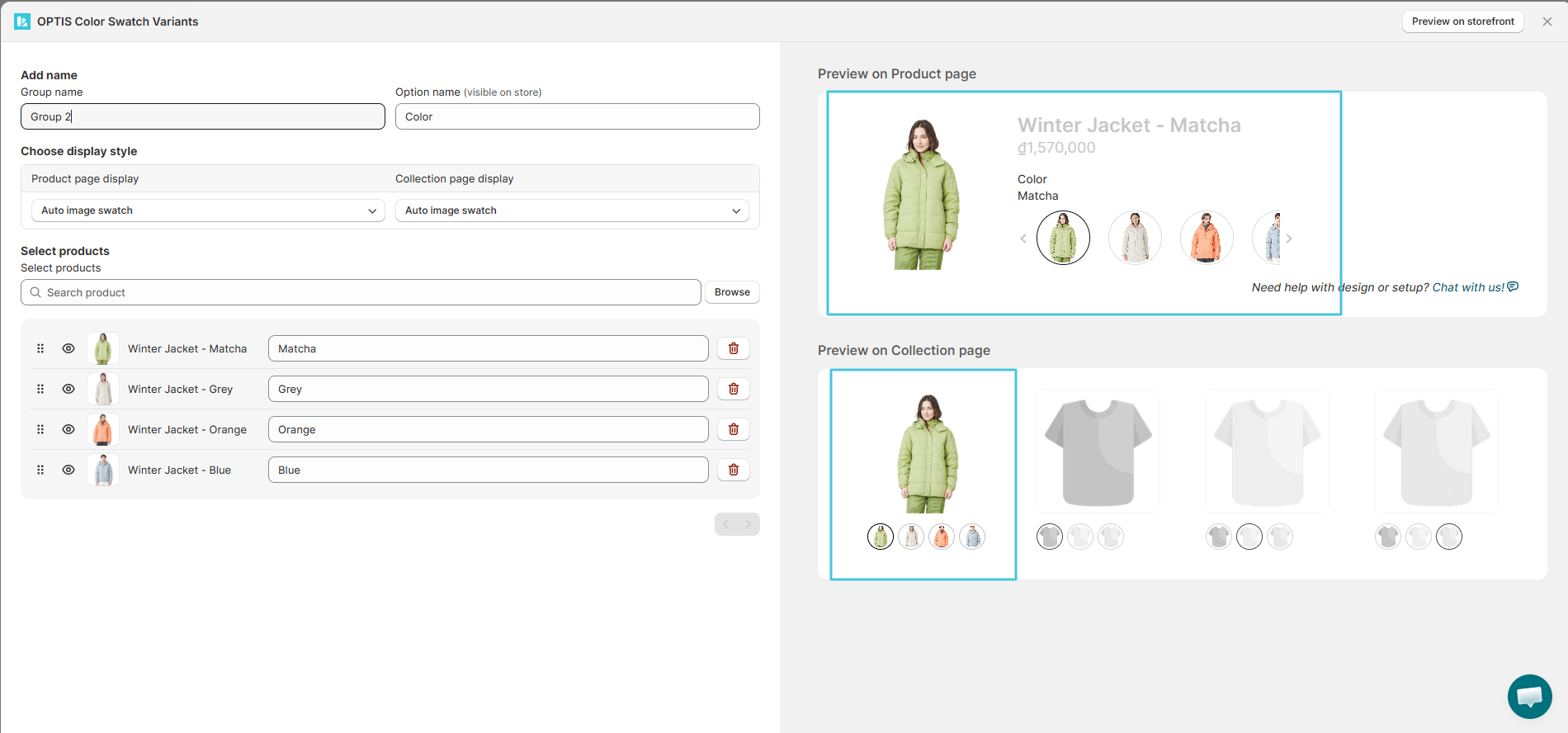
### 🧩 Standardized Product Group preview
**June 3, 2026**
The Product Group setup preview now matches exactly how the group looks on your storefront — image, title, price, swatch, and display style all update live as you change settings.
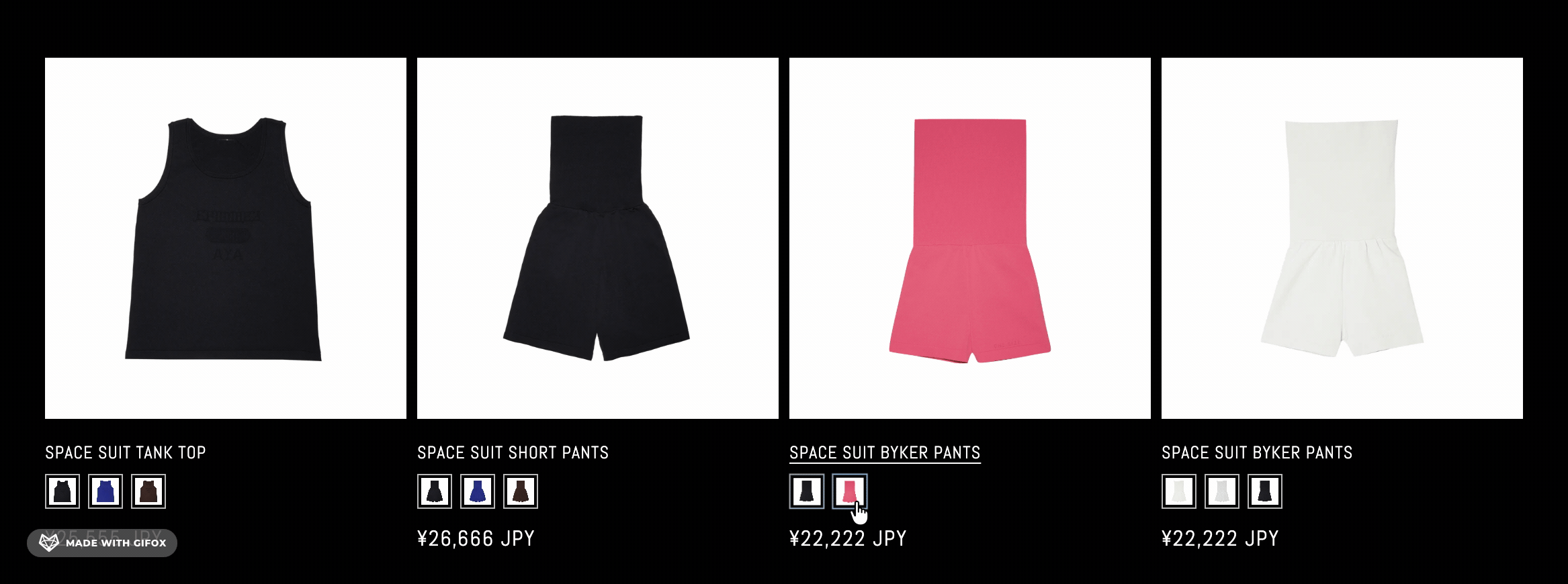
### 🖱️ Hover-to-preview on collection pages
**April 27, 2026**
Added a Collection Page Styling option: hovering over a swatch, button, or dropdown on a collection page now updates the product image and price instantly, without clicking (desktop only — mobile keeps click-to-select).
### 🔗 Compatibility with the [REZ app](https://apps.shopify.com/rez-back-in-stock-notify-me/reviews?ratings%5B%5D=5)
**April 9, 2026**
Swatches now display correctly for merchants who also use the [REZ app](https://apps.shopify.com/rez-back-in-stock-notify-me/reviews?ratings%5B%5D=5).
### 💊 Pill swatch display style
**April 3, 2026**
Added **Pill** as a new swatch display style, alongside color swatch, image swatch, button, and dropdown.
### 🪄 Auto-assign colors & swatch search
**March 17, 2026**
One-click **Auto-assign color** now matches variant names (e.g. "Lavender") to color swatches automatically. A new search box also makes it easy to find a variant in a long swatch list.
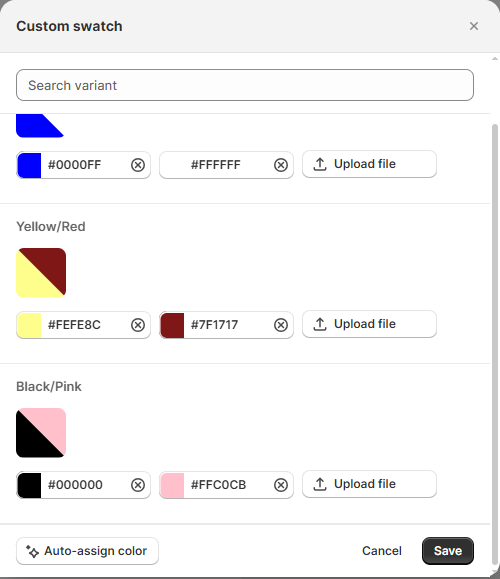
### 🎨 2-color swatch
**March 10, 2026**
Merchants can now assign two colors to a single swatch (e.g. "Black/Pink"), shown as a split-color swatch on the storefront — useful for option values that combine two colors.
{% hint style="warning" %}
2-color swatch is a **paid plan** feature for new merchants. Existing paid merchants keep access.
{% endhint %}
### 🌐 Multi-language admin support
**March 3, 2026**
The app's admin interface now supports translations, replacing hardcoded text with a translation system so more languages can be added over time.
### 💳 Pricing plan launch
**January 20, 2026**
OPTIS Color Swatch moved to a paid pricing plan, with free and paid tiers. Merchants who installed the app before this date keep their existing features (grandfathered).
{% hint style="info" %}
See [Pricing Plans](/swatch/subscription-and-billing/pricing-plans.md) for plan details.
{% endhint %}
### 🖼️ Variant Images feature
**January 20, 2026**
Overhauled how the app determines and swaps the product image shown for a selected variant on the storefront, including better handling of neighboring variant images.
### 🧩 Swatch Card display style & out-of-stock handling
**October 20, 2025**
Added the **Swatch Card** storefront display style, plus refined out-of-stock handling — unavailable variants are strike-through or grayed out, with correct option counts and native Shopify option hiding.
### 🎛️ Custom CSS section
**October 6, 2025**
Added a **Custom CSS** field in Global Settings so merchants can fine-tune swatch appearance with their own styles.
### 🏷️ Product Groups
**September 18, 2025**
Launched **Product Groups**: merchants can group related products together so shoppers can switch between them (e.g. different styles of the same product) directly from the product page, with shared variant/swatch display.
### 🎠 Carousel swatch style with tooltips
**July 29, 2025**
Added a carousel-style layout for displaying extra option values, with hover tooltips showing the option value name.
### 👀 Quick view support & expanded theme compatibility
**July 9, 2025**
Variant swatches and options now render correctly inside "Quick view" popups, and the app added support for several more free and paid Shopify themes.
### 🖼️ Image swatch display type
**June 18, 2025**
Added support for image-based swatches — using a product or variant image instead of a flat color — as a display option alongside color swatches.
### 🚀 App launch
**April 8, 2025**
OPTIS Color Swatch launches. Merchants can turn plain variant option lists into color swatches, image swatches, buttons, or dropdowns, configure them from the app dashboard, and preview them live on the storefront.